





电话

Website Development Features Introduction: English Sample with Visual Guide
In today’s digital-first world, a well-structured and functionally rich website is no longer a luxury—it’s a necessity. Whether you’re launching an e-commerce platform, showcasing a portfolio, or building a corporate presence online, understanding website development features is crucial for creating a site that delivers both performance and user satisfaction. This article provides a comprehensive website development features introduction in English, complete with insights into essential functionalities, best practices, and the strategic use of sample content and visual references to guide your design and development process.
At its core, a website serves as the digital face of your brand. However, aesthetics alone won’t ensure success. Users expect seamless navigation, fast loading times, mobile compatibility, and secure interactions. These expectations are met through carefully planned website functionalities—the underlying mechanisms that make a site interactive, efficient, and scalable.
A clear features introduction helps stakeholders—from developers to marketers—align on project goals. It also ensures that technical teams implement the right tools and frameworks from the start, reducing costly revisions later.
Let’s explore some of the most important features commonly included in modern websites:
With over 60% of global web traffic coming from mobile devices, responsive design isn’t optional. A responsive layout automatically adjusts to different screen sizes—desktops, tablets, and smartphones—ensuring optimal viewing experiences across all platforms. This feature improves user engagement and supports better SEO rankings, as Google prioritizes mobile-friendly sites.
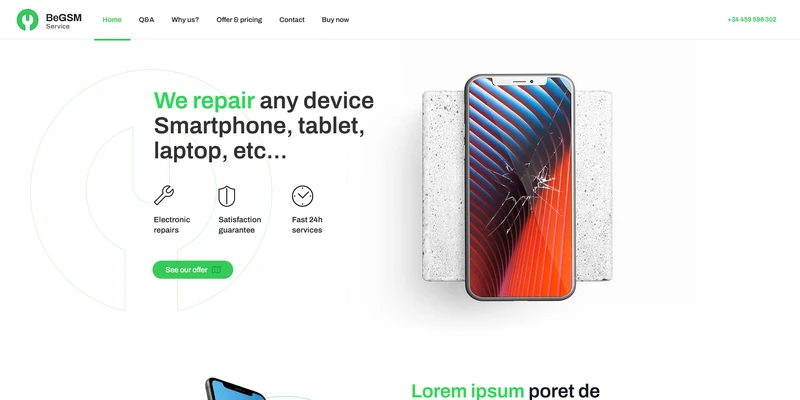
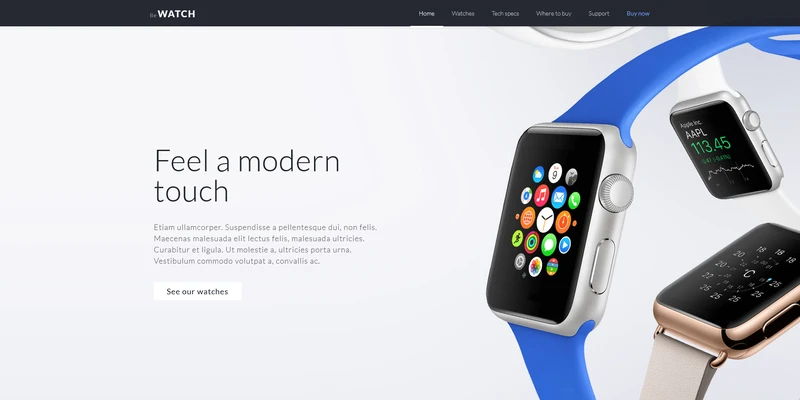
Tip: Use visual mockups (such as wireframes or high-fidelity prototypes) to demonstrate how content reflows on various devices. These example images help clients visualize functionality before coding begins.
Intuitive navigation is key to keeping visitors engaged. Features like sticky headers, dropdown menus, breadcrumbs, and search bars improve usability. A well-organized menu structure reduces bounce rates and guides users toward conversion points—whether that’s making a purchase, signing up for a newsletter, or contacting support.
Most businesses benefit from a CMS like WordPress, Drupal, or Shopify. These platforms allow non-technical users to update content without touching code. Key functions include blog management, media uploads, page editing, and SEO optimization tools.
Including a CMS dashboard screenshot in your feature documentation can serve as a practical English sample to illustrate backend capabilities to clients unfamiliar with web technology.
Built-in SEO features—such as customizable meta tags, clean URL structures, schema markup, and XML sitemaps—are essential for visibility. Modern website builders often include plugins or native tools to streamline on-page SEO, helping your site rank higher on search engines.
For example, integrating Google Analytics and Search Console during development enables real-time tracking of keyword performance and user behavior—critical data for refining your strategy post-launch.
For online stores, core features include product catalogs, shopping carts, secure checkout systems, inventory management, and payment gateway integration (e.g., PayPal, Stripe). Additional enhancements like wishlists, customer reviews, and personalized recommendations boost conversion rates.
A visual guide showing the user journey—from browsing products to completing a purchase—can clarify workflow logic and highlight areas for optimization.
Website security is non-negotiable. Essential protections include SSL certificates (for HTTPS), firewalls, regular software updates, DDoS protection, and secure login protocols. For sites handling personal data, compliance with regulations like GDPR or CCPA must be baked into the architecture.
Providing a security checklist infographic as part of your feature overview adds clarity and reassures clients about data safety.
Fast-loading pages enhance user experience and reduce abandonment. Techniques such as image compression, browser caching, minified CSS/JS files, and Content Delivery Networks (CDNs) contribute to improved performance. Tools like Google PageSpeed Insights offer actionable feedback during development.
Including a before-and-after speed test comparison image in your presentation can powerfully demonstrate the impact of optimization efforts.
An inclusive website follows WCAG (Web Content Accessibility Guidelines) standards, ensuring usability for people with disabilities. Features like alt text for images, keyboard navigation, screen reader compatibility, and sufficient color contrast are not just ethical—they’re often legally required.
A simple accessibility audit report sample can be used to educate clients and showcase commitment to inclusivity.
One of the most effective ways to communicate complex website features is through visual aids. Diagrams, flowcharts, annotated screenshots, and interactive prototypes bridge the gap between technical jargon and client comprehension.
For instance, when explaining how a user authentication system works, a step-by-step diagram showing login, session management, and logout processes makes the concept far more digestible than text alone.
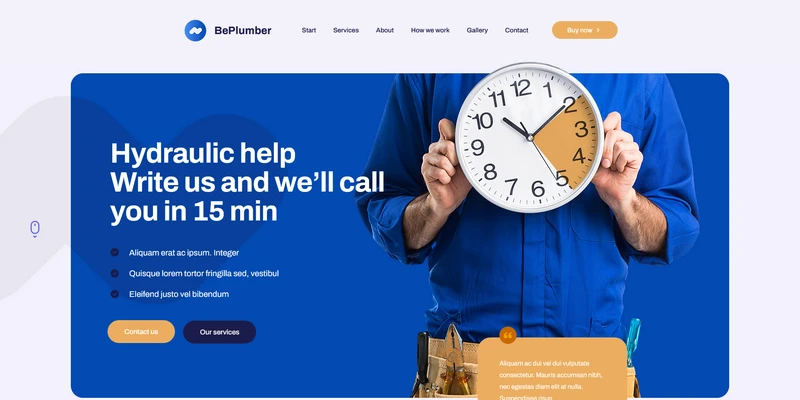
Similarly, embedding a real-world example image of a successfully implemented feature—like a dynamic filtering system on an e-commerce site—helps stakeholders envision the end result.
These visuals should be accompanied by concise English descriptions, forming a bilingual-ready resource that can also support international teams or multilingual audiences.
When compiling your website development features introduction, keep these guidelines in mind:
Not every website needs every feature. A brochure-style site for a local law firm has different requirements than a SaaS platform with hundreds of daily users. Therefore, your feature list should always align with business objectives.
Ask questions like:
Answering these informs which functionalities deserve priority—and which can be phased in later via updates.
Creating a successful website hinges on more than just good design; it requires a deep understanding of functional requirements and user needs. By providing a detailed website development features introduction in English, supported by clear examples and visual references, you empower decision-makers to make informed choices throughout the development lifecycle.
From responsive layouts and secure transactions to SEO tools and accessible interfaces, each feature plays a role in building a robust, future-ready digital presence. When documented effectively—with original explanations, strategic keyword use, and illustrative imagery—the result is not only a technically sound website but also a compelling case study in digital excellence.
如没特殊注明,文章均为星之河原创,转载请注明来自https://www.00448.cn/news/38837.html
上一篇: 网站建设功能介绍英文版范文怎么写
下一篇: 定制网站建设解决方案及措施怎么写的

